


Cyclers: Bike Navigation & Map
4.4388.00 Reviews
App Specs
- Version
- 15.2.0
- Updated On
- License
- Free
- Downloads
- 1,000,000+
- Developer
- Umotional s.r.o.
- Categories
- Maps & Navigation
- Platform
- Android, iOS
Screenshots


 Analysis by AppCompare
Ever found yourself on a bike route wondering if you’re about to hit a dead end or a hill steep enough to make your legs scream? That’s where Cyclers: Bike Navigation & Map comes in. Let me take you on a ride through this app that claims to be every cyclist's best friend.
A cycling-first idea, with a practical purpose
My main reason to consider Cyclers is simple: a bike route is not just a driving route with a different icon. A useful cycling app needs to help me think about the ride itself, including whether the way forward feels suitable for a bike and whether the journey is worth the effort. Cyclers is built around that distinction, which makes it more relevant to riders than a general map when the route matters as much as the destination.
That focus is especially useful when I am heading somewhere unfamiliar. Instead of treating the shortest line between two points as automatically best, I want route choices that let me weigh convenience against a more comfortable or enjoyable ride. For a regular commute, the quickest practical option may win; on a free afternoon, I might prefer a calmer way there. The app’s cycling orientation is the reason I would try it for either situation.
It is also worth setting expectations before relying on any navigation app. A suggested route is a planning aid, not a promise that every stretch will match my preferences or current conditions. I would check the route before setting off, pay attention to signs and the road around me, and be ready to make a safe decision if the real-world situation differs from what the map suggests.
First Impressions and Getting Started
Firing up the Cyclers app for the first time, I was greeted with a sleek and intuitive interface. No overwhelming menus or confusing settings – just a clean map and a search bar, ready to guide me to my next destination. Installing the app was a breeze and, thankfully, it didn’t demand half of my phone’s storage.
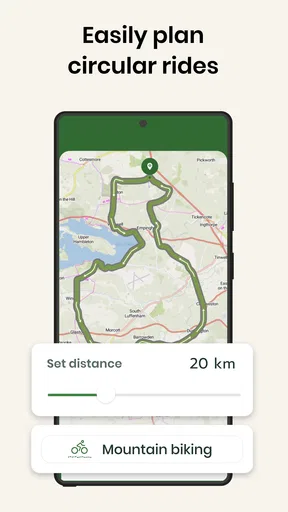
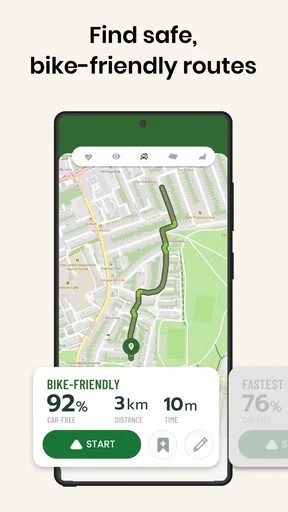
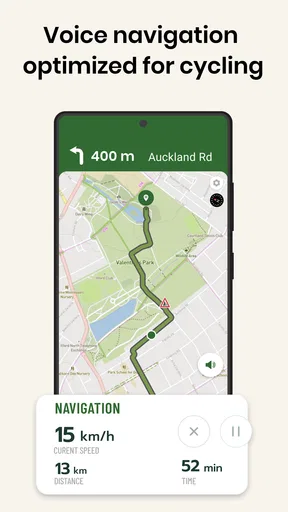
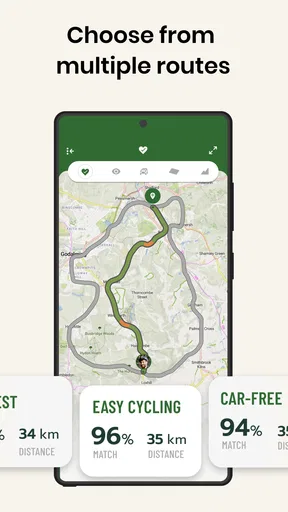
Getting started is simple. Just pop in your destination, and Cyclers does the rest. It calculates the best bike-friendly routes, taking into account everything from traffic conditions to terrain difficulty. What really caught my eye was how the app highlights different routes based on your preferences – whether you want the fastest path or the scenic route with less traffic.
Making a route useful before the ride
One practical habit I recommend is comparing the route options before leaving rather than tapping the first result and immediately starting navigation. A small detour can be worthwhile if it makes the ride feel more comfortable, while a faster line may be the sensible choice when I have a fixed arrival time. Looking at the overall route in advance also helps me notice whether it suits the kind of ride I actually want to take.
Worth Reading Before You Choose

Switching to Android Auto Means Rethinking Your Driving Routine

Google Calendar Makes a Crowded Week Easier to Manage

Baby Panda World Brings Quick Play to Modern Phones, but Its Game Library Feels Busy

ESPN’s Live Game View Makes Following Close Games Easier

QuizzLand Review: A Good Fit for Short Trivia Breaks, Not Every Player

Basketball Stars: Multiplayer Is Fast, but Can It Recover When Matches Go Wrong?
For a workday journey, I would plan around the destination and the time I need to arrive, then give myself room for an unfamiliar turn or a short pause. For a leisure ride, I would be less strict about time and use route choices to explore. This is where a cycling-focused planner can be more helpful than simply asking a general map app to get me from A to B: it makes the ride, rather than only the arrival, part of the decision.
One point to keep in mind is that “bike-friendly” is not a universal guarantee of comfort. Riders differ: someone on a casual city bike may have different priorities from a confident road cyclist, and a route that is reasonable for one person may not suit another. I would treat route recommendations as a starting point, use my own knowledge of local streets, and choose the option that fits my confidence and equipment.
Features That Pedal Beyond the Ordinary
One of the standout features is the app’s ability to provide real-time updates. Imagine navigating through the city and receiving alerts about upcoming roadblocks or detours. It’s like having a personal biking assistant whispering in your ear.
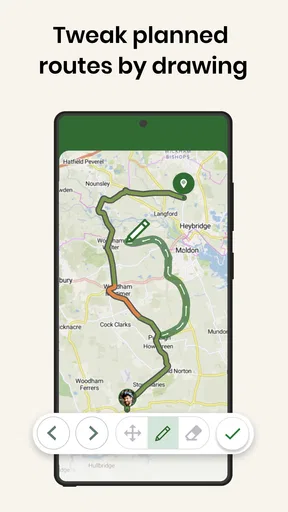
Another gem is the route customization. You can tweak your journey to include specific checkpoints, maybe a coffee shop you’ve been dying to try or a park for a quick breather. And let’s not forget the elevation data – because knowing if you’re about to climb Mount Everest can make or break your ride.
For those who love data, the app tracks your rides, providing insights into your speed, distance, and calories burned. It’s like having a Fitbit for your bike!
Useful habits for everyday rides
A small planning detail can make the difference between a smooth outing and an annoying one: I would look over the route while I am still stationary, not while moving through traffic. That gives me a chance to understand the broad direction and spot a place where I may need to pay extra attention. I would also keep the phone secure and avoid handling it while riding; navigation should support safe decisions, not compete with them.
For a repeat commute, it can be useful to compare the route on different days rather than assuming one choice is always best. A route that works when I have time may not be ideal when I am in a hurry, and construction or congestion can change what feels practical. Cyclers can help with route planning, but I would still build personal familiarity with the streets I use most often instead of depending on turn prompts alone.
People often wonder whether a cycling app can replace a familiar general-purpose map. In my view, it depends on the task. For finding a shop or checking a broad area, a standard map may already be enough. When the journey itself is by bike and I want the route to reflect that, a dedicated option such as Cyclers makes more sense. I would not expect any single app to remove the need for common sense, local knowledge, or attention to changing road conditions.
Riding in Style: The User Experience
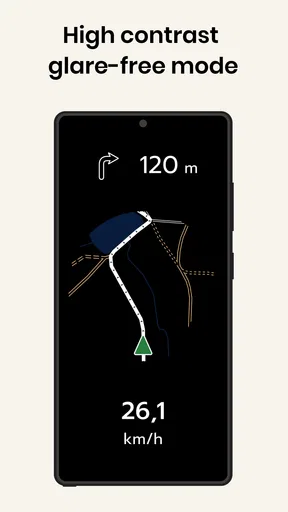
Now, let’s talk about the overall user experience. Navigating through the app feels smooth, like cruising downhill with the wind in your hair. The map is detailed and easy to read, with color-coded routes indicating traffic conditions.
But here’s where it gets better – the community feature. Cyclers lets you connect with other cyclists, share routes, and even join group rides. It’s like a social network on wheels, perfect for those who love to ride with company.
However, no app is perfect. I did encounter a couple of hiccups with GPS accuracy in densely populated areas. While these moments were rare, it’s something to keep in mind when planning your rides.
Where the trade-offs matter
Navigation is only as reassuring as the location information it can work with. In a dense urban area, tall buildings and closely spaced streets can make it harder to tell exactly where I am, so I would not treat a GPS position as infallible. If a prompt seems inconsistent with what I can see, I would pause somewhere safe, check the map, and follow the street signs and conditions rather than making a sudden turn.
There is also a personal trade-off in how much I want an app involved in a ride. Riders who enjoy exploring by instinct may prefer to use Cyclers only to plan a general direction, then put the phone away. People who need dependable turn-by-turn guidance for every part of a tightly timed journey may want a backup plan, particularly in places they do not know well. For me, the best use is as a helpful companion, not an authority that overrides judgment.
The app is free to download, though in-app purchases are available, with listed items ranging from around three dollars to about one hundred and fifty dollars. I would check the purchase details in the app before deciding whether any paid option is relevant to my own needs. The core decision for a prospective user is whether a cycling-specific planner is useful enough to add to their routine, not whether they need to buy something before they can evaluate the app.
Who will get the most from it?
I see Cyclers as a strong fit for people who ride often enough to care about route choice: commuters trying to make a journey by bike, casual riders exploring an unfamiliar neighborhood, and cyclists who like planning an outing before they leave. It is also a sensible option for someone moving from occasional rides to a more regular habit, because thinking about the route in advance can make an unfamiliar trip feel less daunting.
A realistic everyday use would be riding to meet a friend across town. I would enter the destination before leaving, compare the available routes, and choose one that balances getting there on time with a ride I feel comfortable taking. If I am early, I might favor a more pleasant option; if I have a firm arrival time, I would choose the practical route and allow a little extra time to navigate. The useful part is having that choice before I am already on the road.
On the other hand, I would not recommend relying on it as the only source of direction for a rider who dislikes using a phone while cycling, needs specialist planning for a particular type of bike, or expects every suggested street to be ideal in every circumstance. A paper plan, local advice, or a familiar navigation tool may be preferable for a one-off trip where the route is already known, or where phone navigation would be more distraction than help.
Wrapping Up the Ride
So, who is Cyclers best suited for? Honestly, it’s a game-changer for anyone who loves to bike. Whether you’re a casual rider, a daily commuter, or someone training for a triathlon, this app has something to offer.
The integration of real-time data, route customization, and community features makes it a must-have in your cycling toolkit. Sure, there are minor flaws, but the pros far outweigh the cons.
As a Maps & Navigation app from Umotional s.r.o., Cyclers has earned an average rating of 4.5 from around eighteen thousand ratings, and it has been installed over one million times. It is free, rated for Everyone, and its current version is 14.10.1; it was released on April 18, 2016, and requires Android 7.0 or later. Those details make it easy to see why it has reached a broad audience, but the more important question is still whether its cycling-first approach suits the way you ride.
If you’re looking to enhance your biking experience, give Cyclers: Bike Navigation & Map a spin. It might just turn your next ride into an adventure worth remembering. Happy cycling!
Pros
- Easy-to-use interface for all ages.
- Accurate route calculations and updates.
- Offers offline map functionality.
- Includes safety alerts for cyclists.
- Customizable route preferences.
Cons
- Limited support for rural areas.
- Requires regular app updates.
- Consumes significant battery life.
- Occasional GPS signal issues.
- Some features behind a paywall.
FAQs for Cyclers: Bike Navigation & Map
What makes Cyclers: Bike Navigation & Map different from other cycling apps?
Cyclers: Bike Navigation & Map stands out due to its AI-powered navigation specifically designed for cyclists. It offers smart route planning that considers real-time traffic, terrain, and user preferences, ensuring a safer and more efficient ride. The app also provides personalized route suggestions, making it a unique tool for cycling enthusiasts.
How accurate is the map and navigation feature in Cyclers?
Cyclers offers highly accurate maps and navigation features, utilizing advanced algorithms to provide precise route guidance. The app updates its database frequently to reflect current road conditions, new bike paths, and any changes in existing routes, ensuring cyclists receive the most reliable information available.
Is Cyclers: Bike Navigation & Map suitable for beginner cyclists?
Absolutely! Cyclers is designed with all levels of cyclists in mind. Beginners can benefit from its easy-to-use interface, safe route suggestions, and helpful tips for improving cycling skills. The app’s customization options allow users to tailor settings according to their comfort and experience levels, making it accessible for everyone.
Does Cyclers offer offline navigation capabilities?
Yes, Cyclers provides offline navigation, allowing users to download maps and routes for use without an internet connection. This feature is particularly useful for rides in areas with poor network coverage, ensuring continuous navigation and safety regardless of location.
Are there any social features in Cyclers: Bike Navigation & Map?
Cyclers includes various social features, allowing users to share routes, achievements, and experiences with friends and the cycling community. The app also offers a platform for users to connect, exchange tips, and participate in group challenges, enhancing the social aspect of cycling.


